

Virtual Currency Setup
Perkox allows you to reward users in your app's native virtual currency (e.g. Coins, Points, Gems, Gold). When an advertiser pays for an install or level completion, Perkox converts the dollar revenue into virtual currency for your user based on your configured exchange rate.
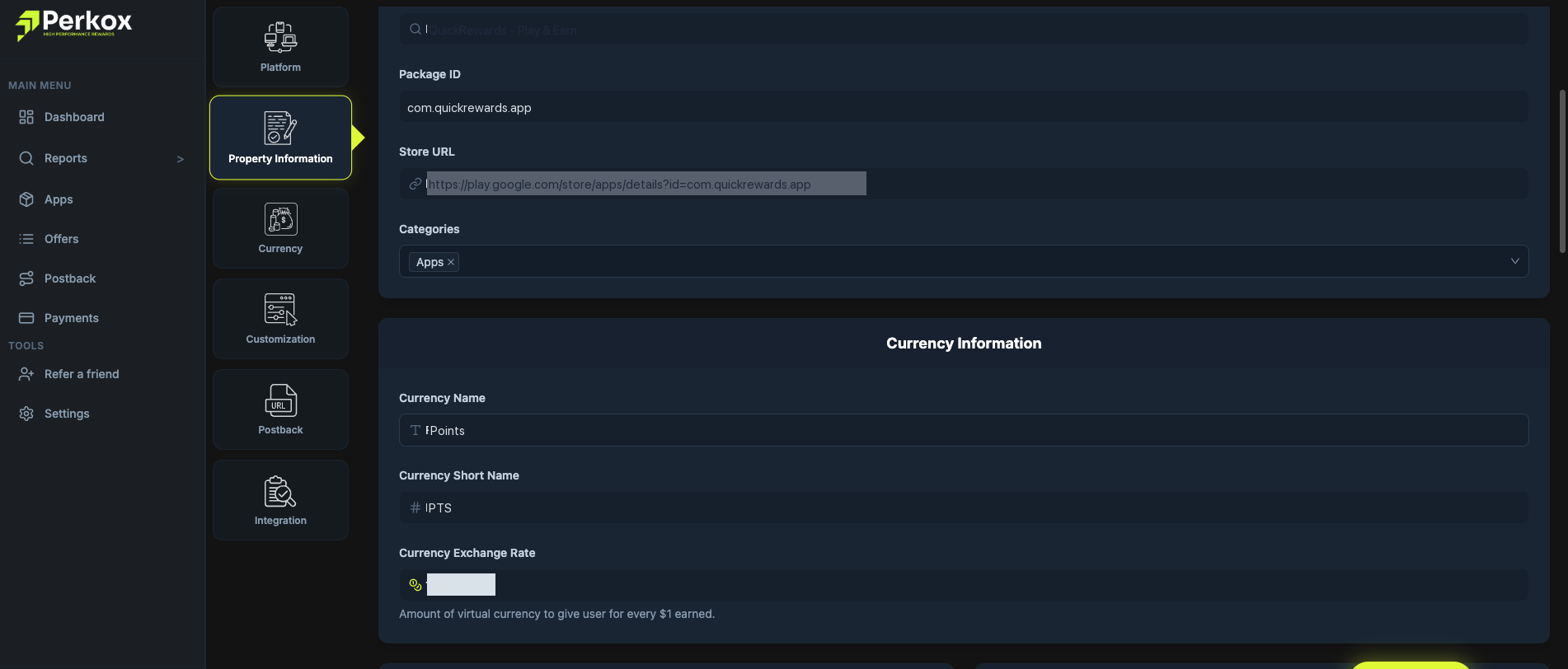
Click to expand
Currency Parameters
Currency Name
Points
The full name displayed in offer headers (e.g. "Points", "Coins", "Gems").
Short Name
PTS
Abbreviation shown on badges and cards (e.g. "PTS", "GP", "COIN").
Exchange Rate
100 per $1.00 USD
Amount of virtual currency given to user for every $1.00 earned.
Conversion Math Example
Suppose your exchange rate is set to 100 Points per $1.00 USD:
- User completes an offer with a $2.50 payout → User receives 250 Points
- User completes a tier with a $10.00 payout → User receives 1,000 Points
Rounding and Decimals
Perkox supports both integer and decimal rewards. If you prefer clean whole numbers (e.g. 50 Coins instead of 50.25 Coins), set an integer exchange rate like 100 or 1,000.